Turn a spare tablet
into your dashboard
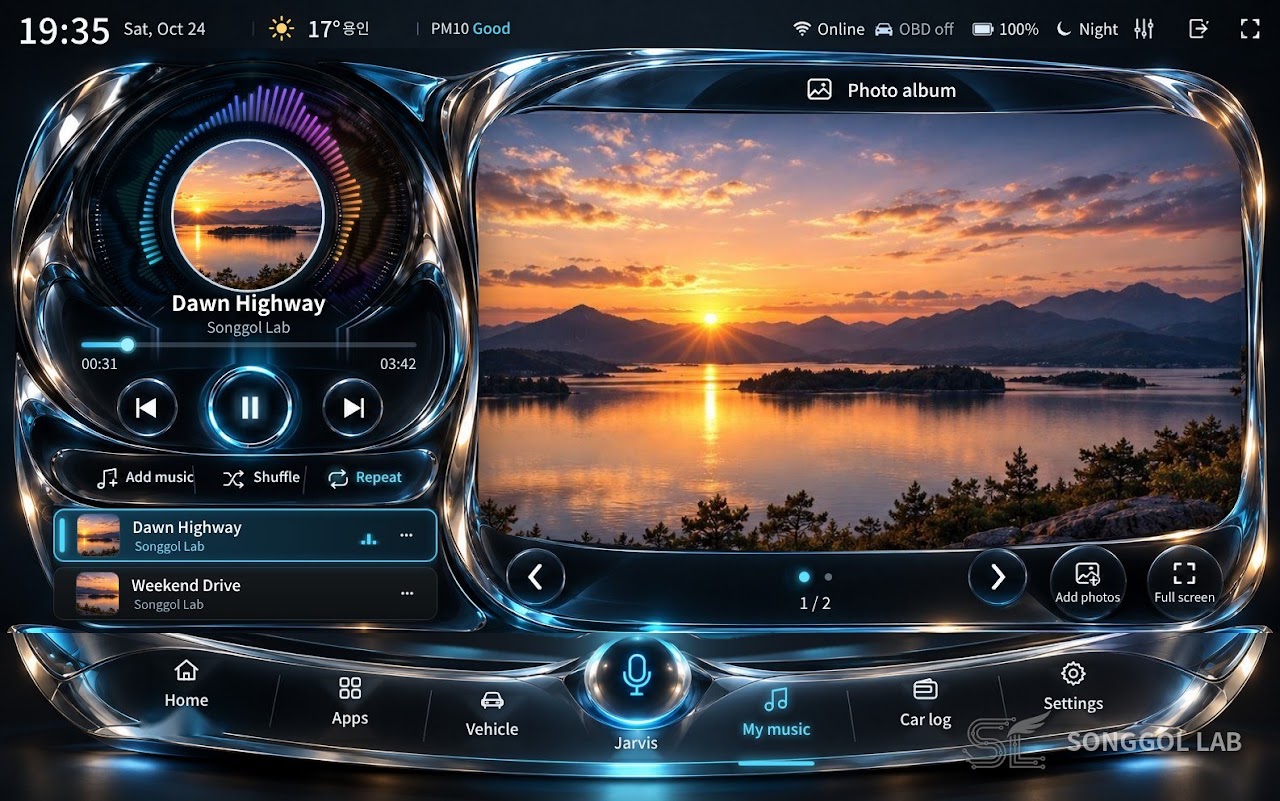
Turn a spare Android tablet or phone into your car's dashboard. Add a Bluetooth OBD dongle and you get live speed, fuel economy and fault codes. Try it free as a tester before the official Google Play launch.
Why OBD?
At the repair shop you usually just describe the symptom. The mechanic guesses the cause and swaps a part. If that is not it, another part gets swapped… and the bill snowballs, while you still don't know the real cause.
Watch the video
What it does


Works on phones too
No tablet? Put a spare Android phone in the mount instead, in landscape or portrait. The same app adapts to the screen, and a Galaxy Fold shows the tablet layout when unfolded.


What you need
Five steps
- Plug in the OBD donglePlug the dongle into the OBD port under the driver's side. When its light comes on, it's ready.
- Mount the tabletStick the mount on the dashboard and place the tablet in it.
- Install the appApply under "Testers wanted" below and we'll send you an install link. Open it on your phone, tap "Become a tester" → "Download", and it installs from Google Play.
- Getting started screenOnly one permission is required: allow Display over other apps. Optional: Microphone (voice control) and Location.
- Connect the dongleChoose your Bluetooth OBD dongle in Settings › Connection and the gauges start showing numbers. The engine must be on.
Setup video
How to use
What’s new · v1.3.53
- You can change the name you use to call the voice assistant. The default is "Songgollab" (e.g. "Songgollab, play YouTube").
- A one-time "Drive safely" notice appears on first launch — no touching the screen or watching video while driving; vehicle data is for reference only.
- Video apps in split screen are hidden automatically while driving (on by default).
- Car maker logos were removed from the screenshots.
🚗 Testers wanted (free · first 20 people)
Drive Console, the app that turns a tablet or phone into a car dashboard, is getting ready for its official Google Play launch. We're looking for testers to try it first and share feedback before release.
■ What it does
- Live speed, RPM, coolant temperature, battery voltage and fuel economy
- Reads fault codes (DTC) and explains them (including Hyundai·Kia codes)
- T map + YouTube split screen (video is hidden automatically while driving)
- Voice commands · car log · driving records
■ Who can join
- Android phone or tablet (iPhone not supported)
- An ELM327 OBD dongle (Bluetooth or Wi-Fi) is a plus — you can join without a car or dongle
- Free
■ How to apply
- Send your Gmail addressSend the Gmail address you use on Google Play to songgollab@gmail.com or by DM on Instagram·Threads (@songgollab).
- Get the install linkOnce you're registered, we'll send you the install link.
- Become a tester → DownloadOpen the link on your phone, tap "Become a tester" → "Download", and you're done! Make sure Google Play is signed in with the Gmail you sent us.
■ A small favor
- Please keep the app installed for 14 days and open it now and then. Please don't tap "Leave the program".
- A one-line review on the Google Play app page after trying it would help a lot.
Testers wanted video
FAQ
How do I install it?
Once you're registered as a tester, we'll send you an install link. Open it on your phone and tap "Become a tester" → "Download" to install from Google Play. No separate file is needed.
The dongle isn't found
Turn the engine on, turn on Bluetooth on the tablet, then choose the dongle again in Settings › Connection. If another app (e.g. Car Scanner) is connected to the dongle, close that app.
Some values are grey
Each car reports different values. Grey values are for reference only and have no normal range.
Can I use it while driving?
For safety, touch the screen only when stopped and use the voice assistant while driving. Video apps in split screen are hidden automatically while you drive.
Where can I leave a review?
Please leave a review on the Google Play page or send it through the contact page. We also add reviews here.
If you already use the 15-day trial from the blog, send us the device number from the lock screen on KakaoTalk when the trial ends.
Questions?
Message us on KakaoTalk or email songgollab@gmail.com.